目次
XM Official App
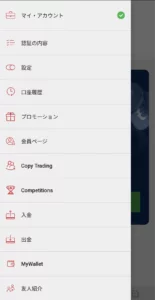

XM has released an official app for smartphones.
As of 2025, it cannot be downloaded on iOS, but the Android version can be used without any problems.
Merits of the XM App
To be honest, there isn't much point in going out of your way to use the XM app...
Since it is an app, there is no page loading time, so deposits and withdrawals can be done somewhat faster than on the website, but that's about it.
Although you can trade on the XM app, it is not suitable for serious trading because there are almost no indicators that can be displayed on the trading tool.
I still recommend using MT5 when trading with XM.
How to Login to the XM App
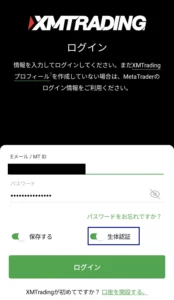
Enter your email address and password just like the web version.
The app version also supports biometric login, so check the box if you want to use biometric authentication.
What You Can Do with the XM App
In addition to deposits and withdrawals which can also be done on the webpage,
you can create a watch list of currency pairs and perform minimal trading.
For some reason, you cannot add or open accounts.
Really, why?
Deposits and Withdrawals
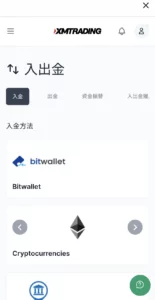
Just like the web version, you can deposit using bank transfer, credit cards, bitwallet, and cryptocurrencies.
Watch List of Currency Pairs
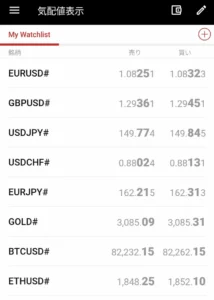
With the XM app, you can create a watch list of currency pairs whose prices you want to monitor.
When you log in to XM with the MT5 app, for some reason, initially only niche products like cocoa are displayed,
but the XM app displays major FX pairs like EURUSD, GBPUSD, and USDJPY right away.
CFDs like GOLD are not displayed on the app either, so add them as needed.
Trading on the XM App
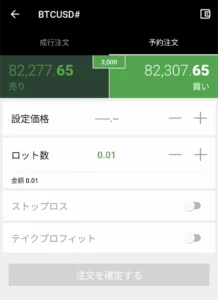
Although order methods are limited compared to MT5, you can operate:
- Market Orders
- Limit Orders
- Stop Loss / Take Profit settings
It is quite unfortunate that indicators cannot be displayed on the chart in the XM app.
It's fine for simple entries based on price feel, but if you want to display indicators, it is better to use MT5 or TradingView.